Use cases · Just you

No “where did it all go” in the evening

For people who manage their money on their own: a Monobank card, some cash, maybe an exchange. Here’s one ordinary day with Degroshi, hour by hour. No spreadsheet to keep, and nothing to add up before bed.

Create a free account

Free plan · no card needed

Sound familiar?

If any of these sounds like you

  • The spreadsheet lasted two weeks, then I just stopped opening it.

  • It’s only the 20th, and I have no idea where it all went.

  • I’m afraid to open my balance in case it’s worse than I think.

One day

Hour by hour: what you do and what the app does

Four moments of an ordinary Tuesday. In each one the app does its part on its own, and all you do is confirm.

  1. On the way

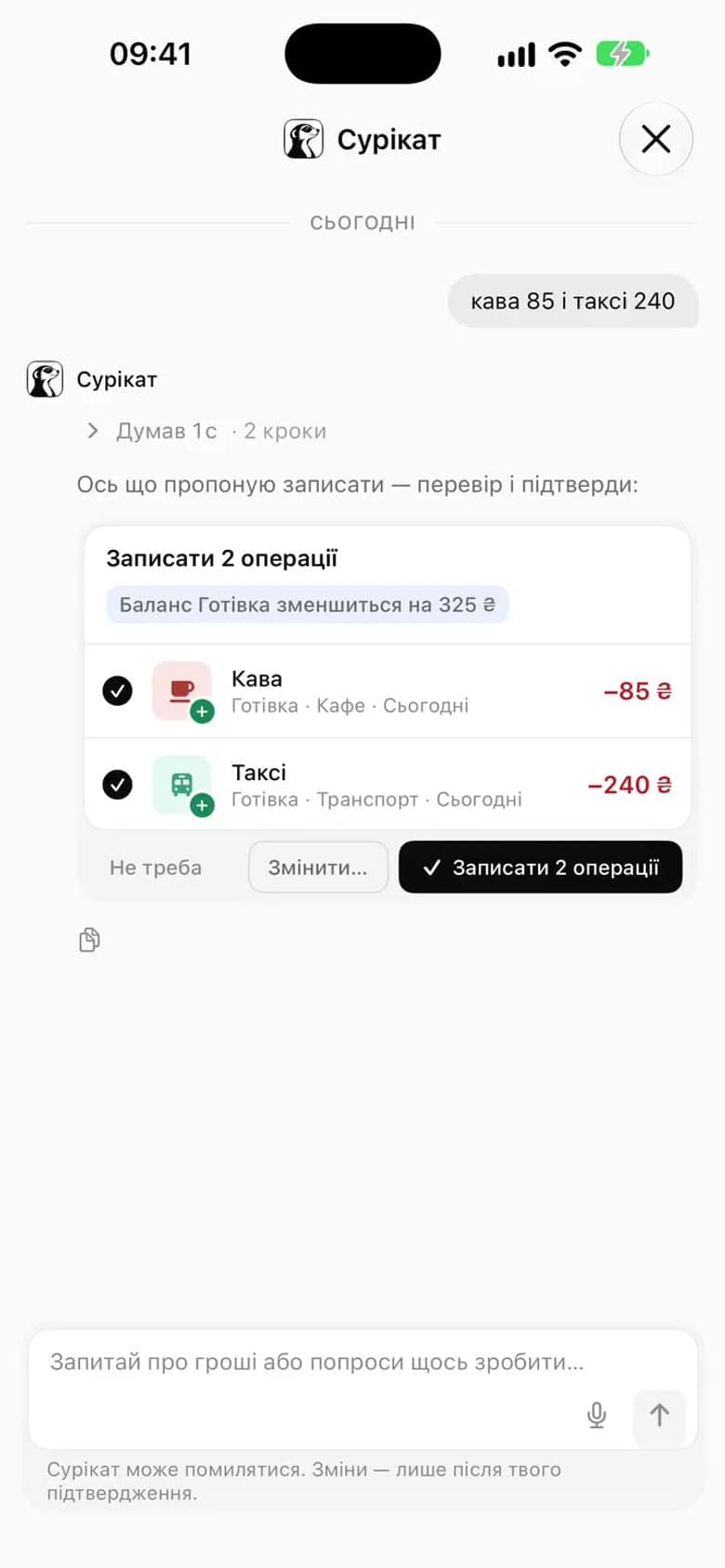
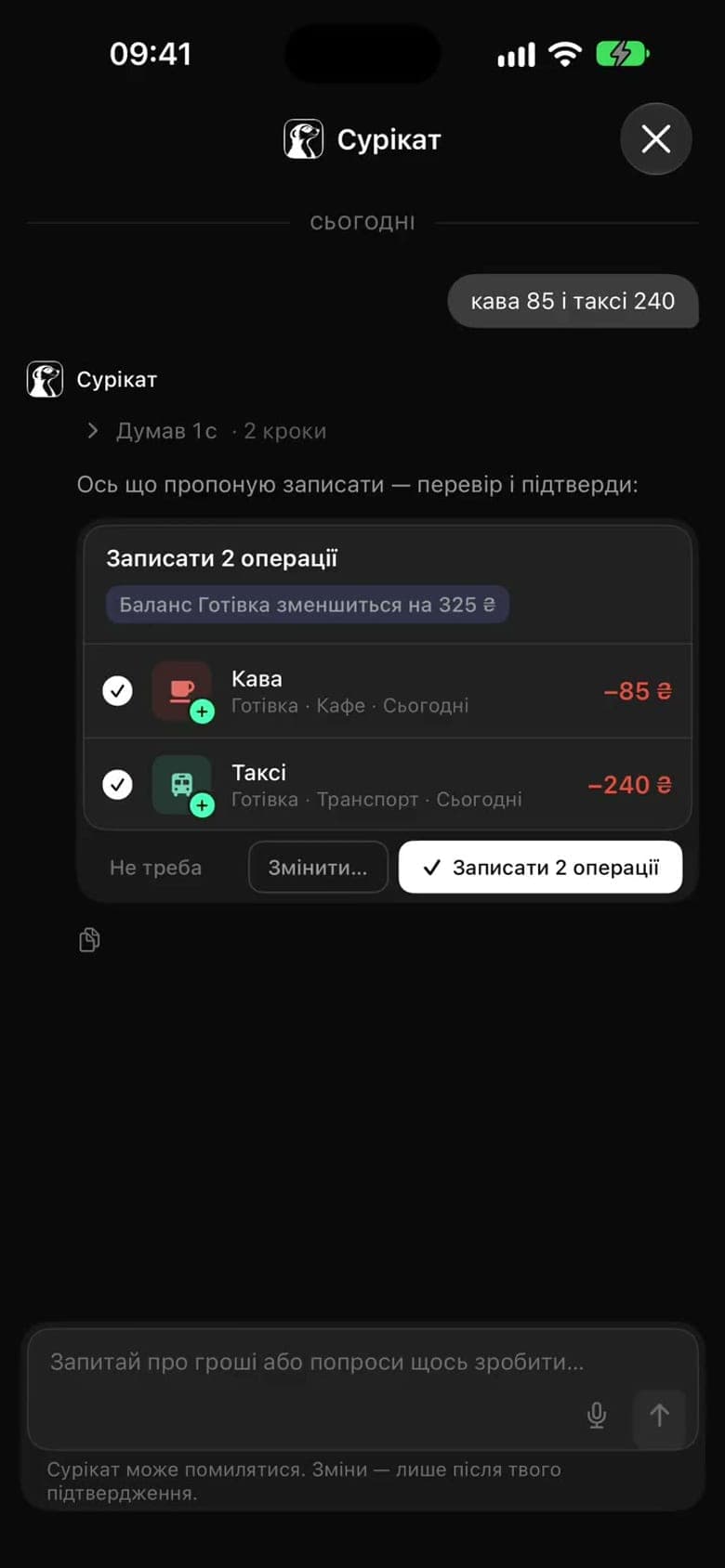
    You say “coffee 85 and taxi 240” and walk on

    Cash spending needs no typing. You say it to Suricate, and it splits the phrase into two transactions in “Cafés” and “Transport” and shows exactly what it will add. One tap to confirm, or correct it. It never writes anything on its own.

  2. Lunch

    The Monobank transactions are already here

    You pay by card, and the transaction is already in the app with its category. Nothing to type or photograph. Wrong category? Fix it once, and next time the same merchant lands in the right place by itself.

    You confirm the request in the bank’s app; from then on, statements arrive on their own. We can’t transfer money.

  3. Evening

    Varta: you looked today, so the day counts

    A day counts for attention, not for every coin logged: you logged an expense, reviewed the bank’s transactions or confirmed a Suricate draft. Missed a day? Nothing is lost. There are two freezes a month and 48 hours to repair a miss, and the rhythm counts 5 days out of 7.

  4. Before bed

    Runway: how long the money lasts if income stops

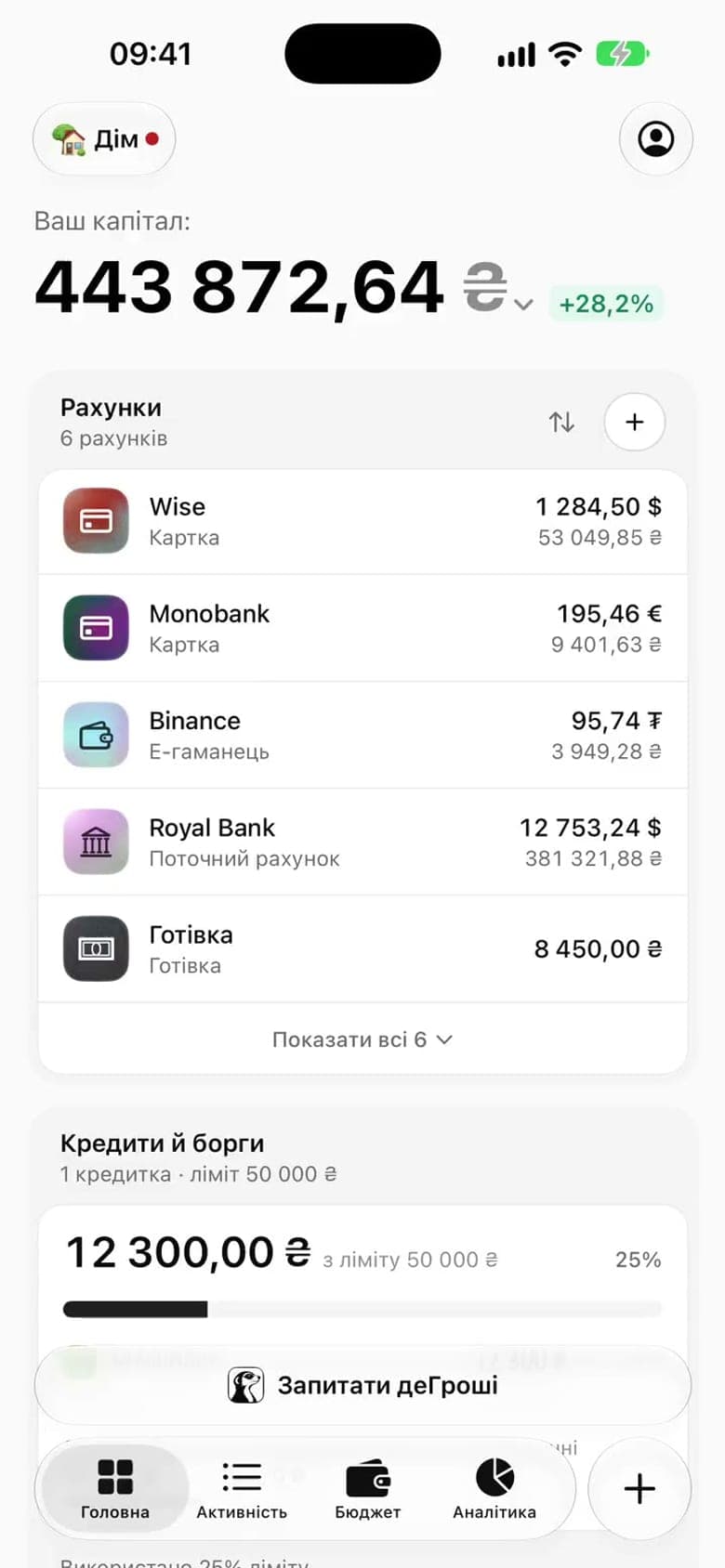
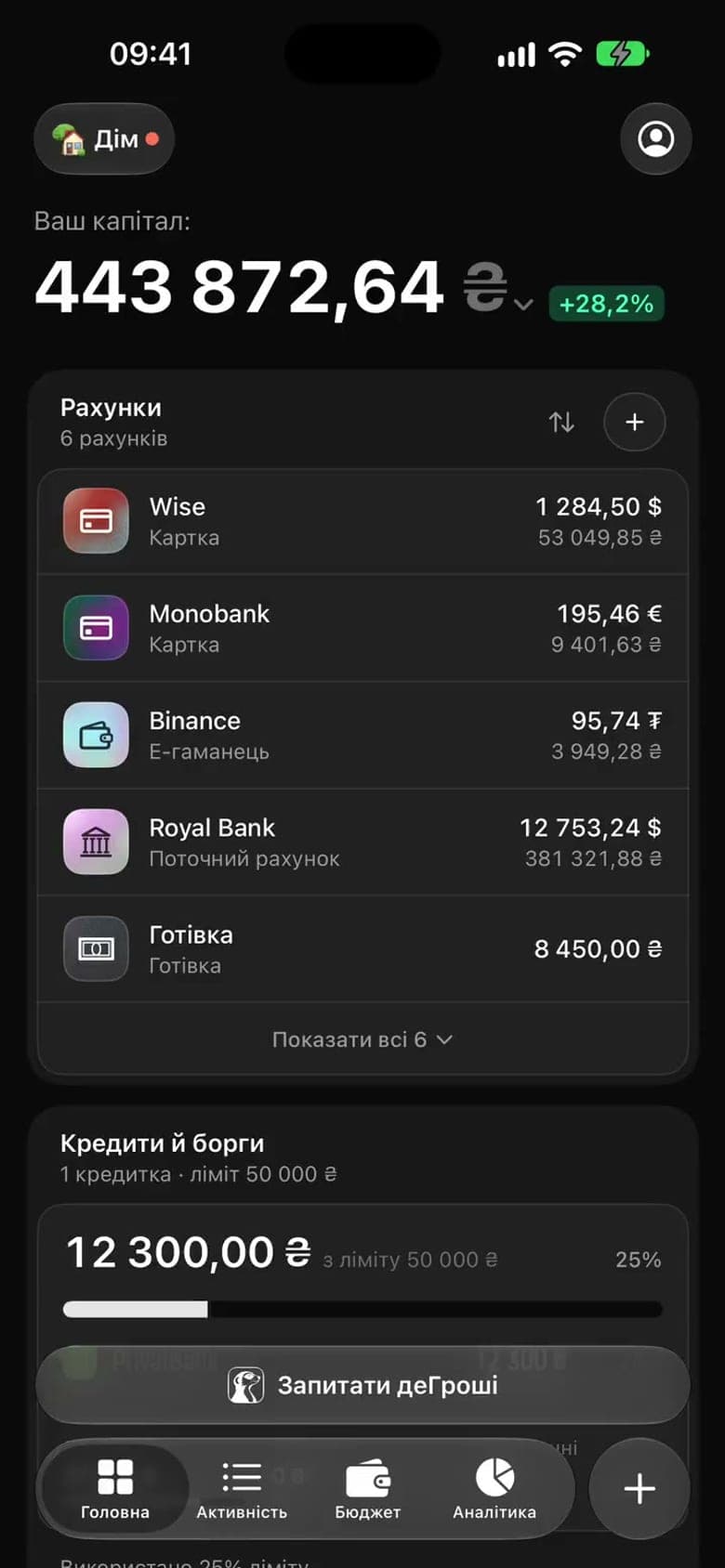
    All your money at the current rate, minus debt, divided by your average daily spending. There’s no forecasting in it. It’s one honest number, and it’s always on the home screen.

  5. 22:00–08:00Quiet hours: the app sends nothing on its own, but you can look any time.

Two numbers

How Varta and Runway are counted

There are no points and no competition. Just two numbers you get at a glance, and under each one you can see what it’s made of.

Varta

12days of attention

For example: 12 days in a row, today already counted.

A day counts when you looked at your money: logged an expense, reviewed the bank’s transactions or confirmed a draft.

  • The rhythm is 5 days out of 7, or every day if you prefer.
  • Two freezes a month, for the days when you can’t.
  • A missed day can be repaired within 48 hours.
  • No reminders between 22:00 and 08:00.
  • You can pause Varta and come back without any guilt.
Runway

143days

For example: ₴277,640 ÷ ₴1,940 a day ≈ 143 days.

Runway = your money ÷ average daily spending.

  • Money in every currency counts at the current rate.
  • Debt is subtracted.
  • Crypto counts only when verified: exchanges by key and wallets you signed in with.
  • Average spending comes from your history, not from your plans.

Where it went

On Sunday, you see where the money went

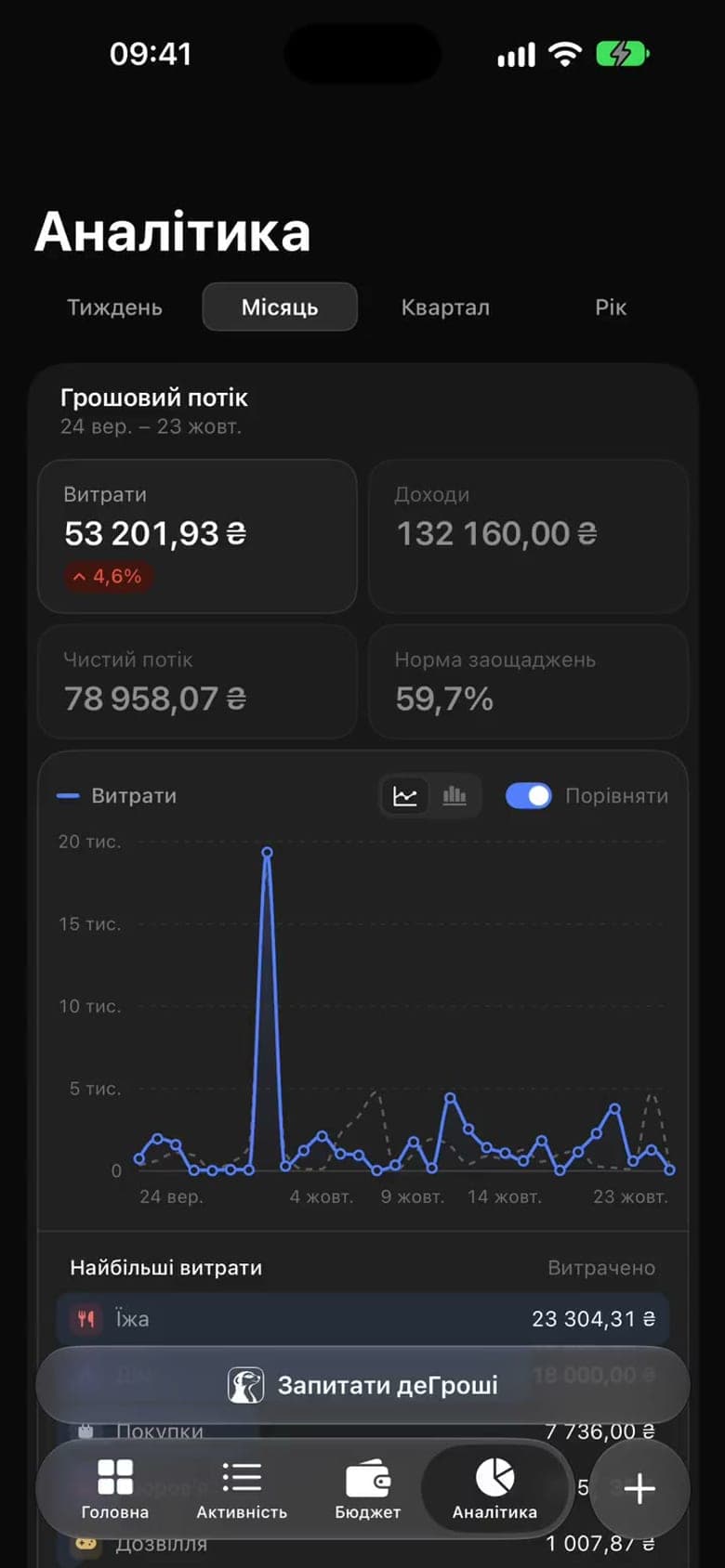
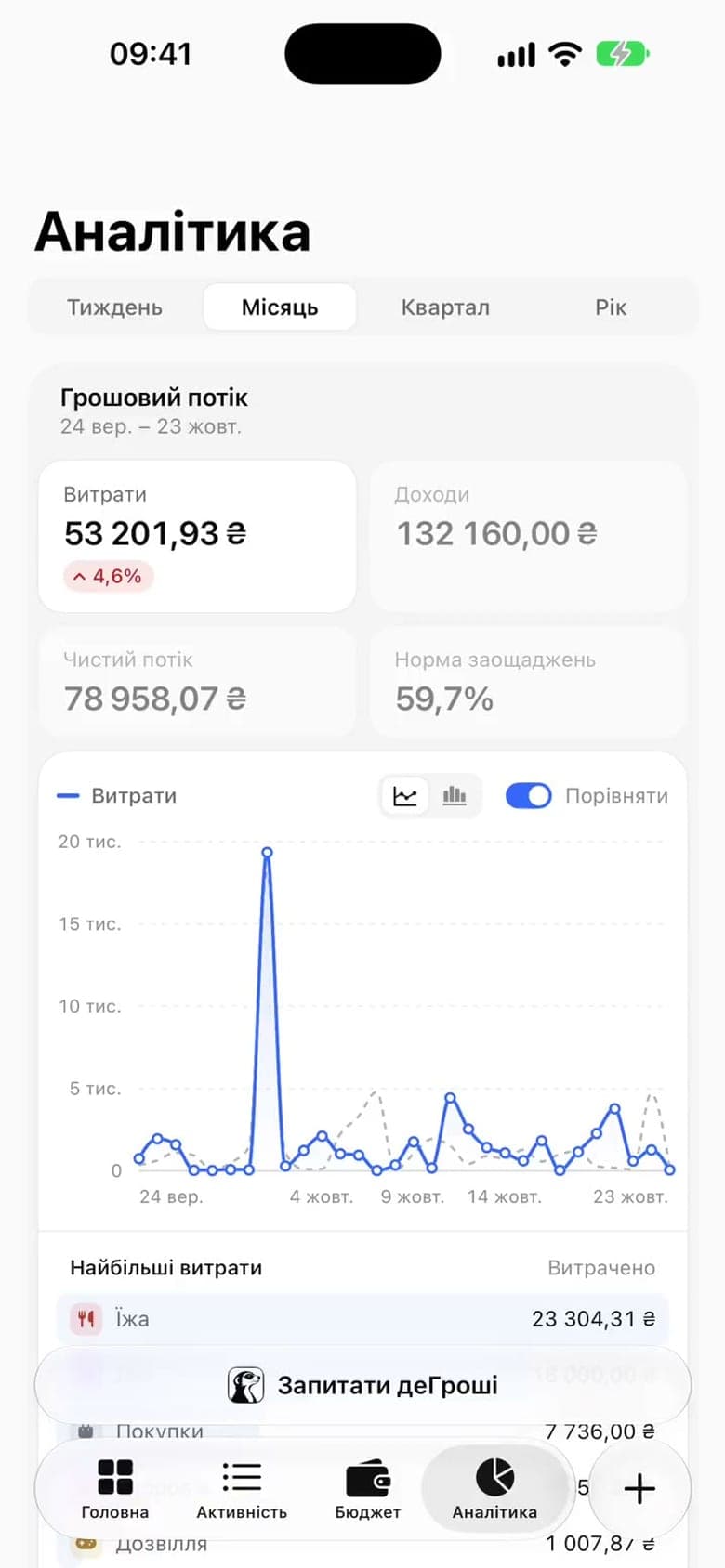
Analytics shows the month’s categories, the expensive days on a heatmap and the recurring payments ahead. You can plan next week instead of trying to remember the last one.

  • Categories for the monthThe five biggest categories and “Other”, without a riot of colour. You see at once what ate more than it seemed.
  • A 52-week heatmapThe expensive days stand out, and so does the reason: a Tuesday with a taxi and dinner.
  • Recurring payments aheadThe app finds subscriptions and utilities on its own and offers to add them as recurring payments. You see what will be charged, when, and how much it comes to.

Categories learn from your corrections: move a merchant to another category once, and from then on it goes there by itself.

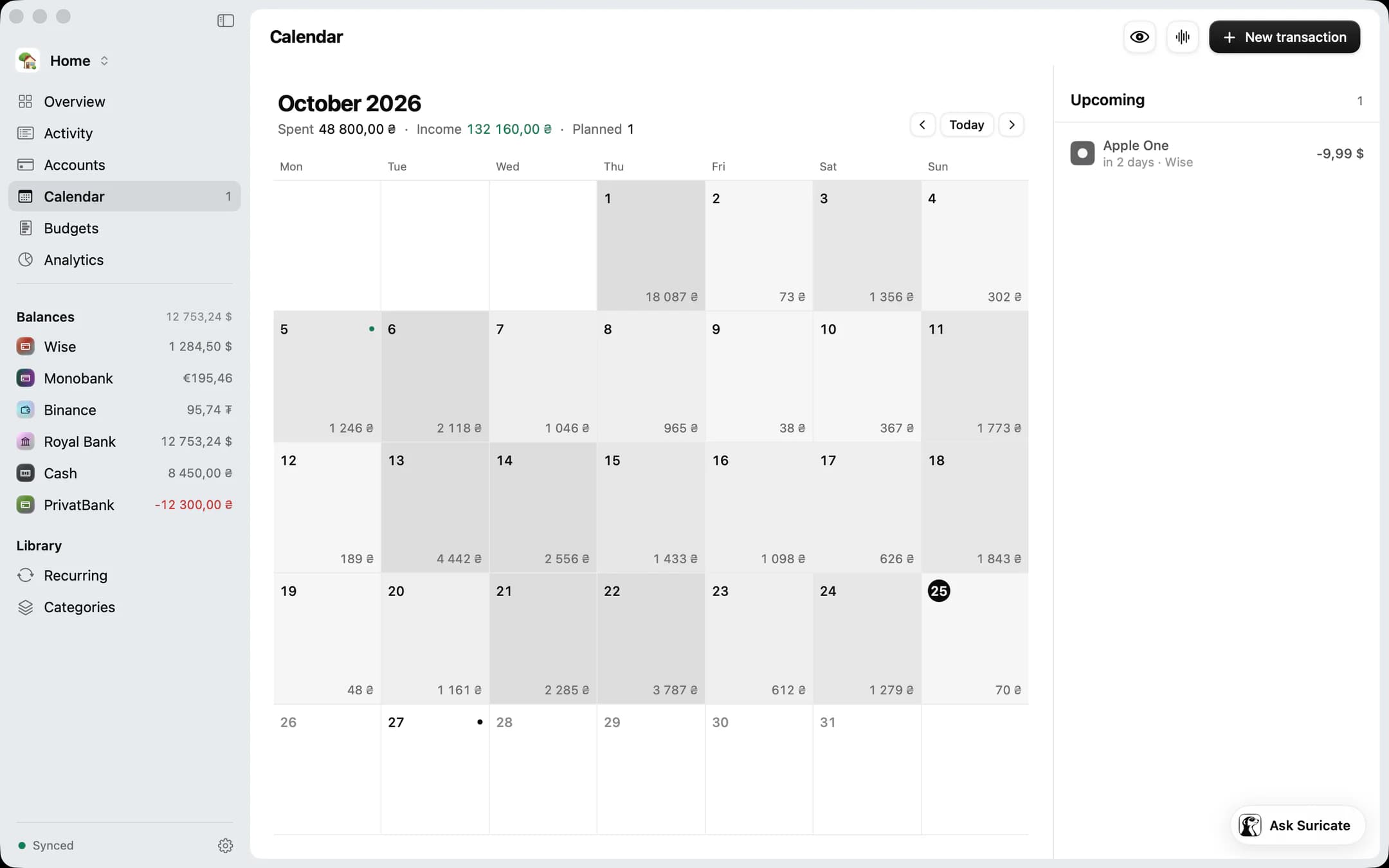
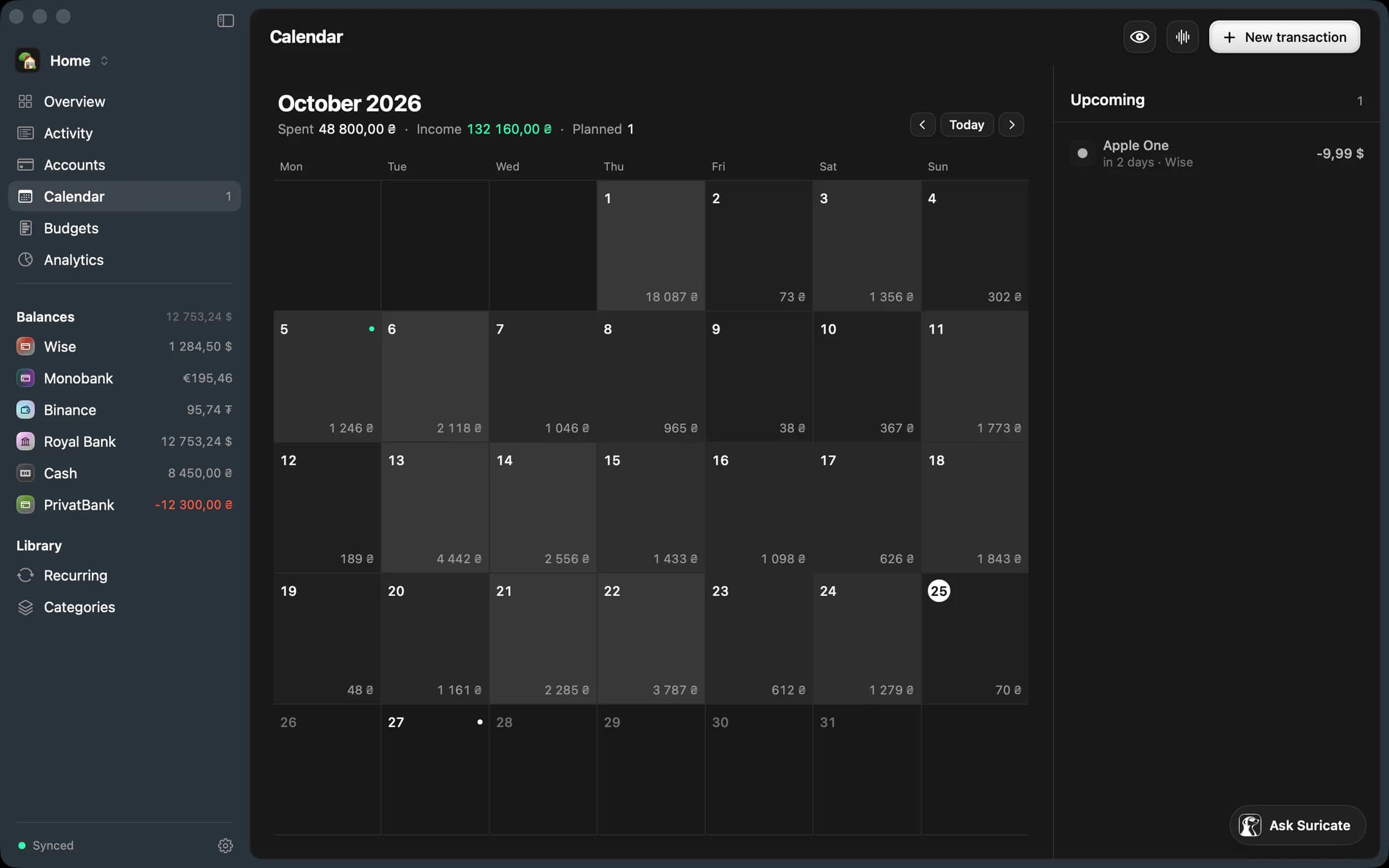
Degroshi for Mac: the October calendar with each day’s spending and the upcoming payments

On the Mac. The same month as a calendar: each day’s total, the expensive days easy to spot, and the next payments on the right.

How to start

Five minutes to the full picture

≈ 5 minutes
  1. Create an account

    With email, Apple or Google, in a minute. The same account works on the web, iPhone and Mac.

  2. Connect Monobank

    One more minute: you confirm the request in the bank’s app. Three months of statements arrive on their own, so the picture is there right away.

  3. Add “Cash” and say your first expense

    The bank can’t see cash, so you keep that account yourself. Just say your first expense to Suricate out loud; it takes a second.

  4. An exchange, if you have one

    You need a read-only key. The app checks that it can’t trade or withdraw, then reads the balances every 15 minutes. Two minutes, mostly on the exchange’s site.

Create a free account

Free plan · no card needed

After a week

What you will see on the screens

  • Categories have sorted themselves and are learning from your corrections.
  • The app has found your recurring payments and shows what will be charged when.
  • The heatmap shows which days of the week were expensive.
  • Varta at 5 days out of 7, and the missed day broke nothing.
  • Runway greets you on the home screen every time you open the app.

FAQ

Frequently asked questions

Do I have to log every expense by hand?

No. Monobank transactions arrive on their own; you only log cash, by voice, by text or with a photo of the receipt. Suricate turns it into transactions with categories, and you confirm.

What if I have an Android phone?

Open Degroshi in your phone’s browser. The web app is the same product with the same data. There’s no separate Android app yet.

What happens if I miss a Varta day?

Nothing bad. The rhythm counts 5 days out of 7, you get two freezes a month, and a miss can be repaired within 48 hours. If you need to, pause Varta: it shows attention and punishes no one.

What happens to my data?

It stays yours. Monobank access is read-only, so we can’t transfer money. We don’t sell your data, use it for advertising or train AI models on it. How it’s protected and how to delete your account with all its data is on the Security page.

Security
What if my bank isn’t Monobank?

Then you keep that account by hand or import a CSV or XLSX statement. On the web and the Mac, the import assistant works out the columns and categories for you. For now, only Monobank connects automatically.

And offline on the iPhone?

The iPhone app works without a connection: you can log, look and edit. Once you’re back online, everything syncs with the web and the Mac.

Does Suricate write anything by itself?

Never. It proposes transactions, categories or receipt lines and shows exactly what it will add. Only what you confirm gets written.

People walking down a sunlit alley, their figures blurred by motion

See where your money is

Create an account, connect Monobank, and in a few minutes you’ll see the whole picture.

  1. An account in a minute
  2. Monobank through the bank’s app
  3. All your money together, in hryvnia
Create a free account

Free plan · no card needed