
Familypersonal spaceOwn funds · 20 000 ₴Marchenko, sole proprietorbusiness space · group 3
Degroshi Business · beta for sole proprietors, soon
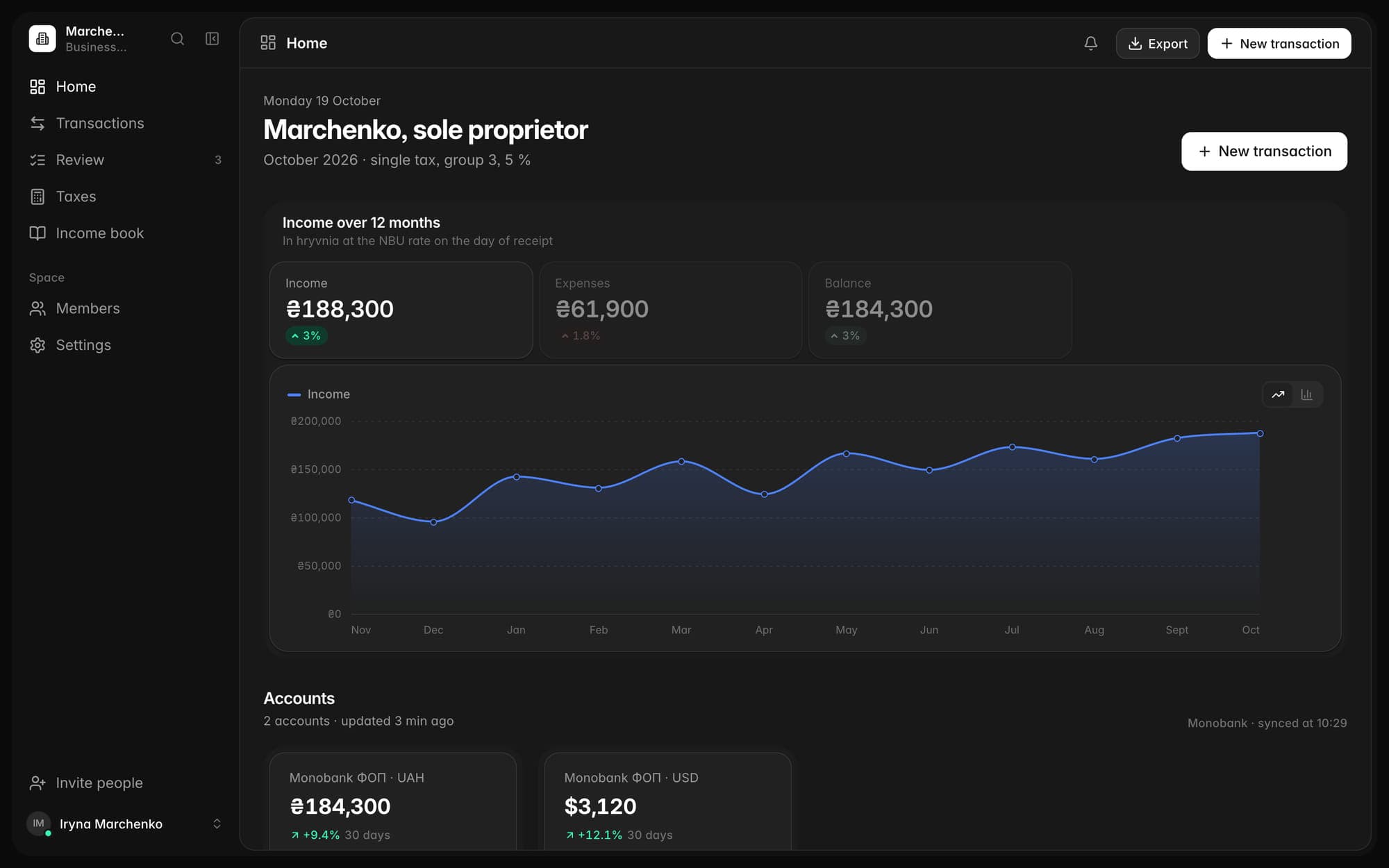
Connect your Monobank business accounts, and the app separates income from everything else that comes in. It computes the single tax, ЄСВ and military levy, shows the limit and the deadlines, and prepares the XML return for the tax cabinet. You file it.
The account is free · we don’t file returns, we only prepare the file

Business and personal side by side in the browser, on iPhone and Mac
Computed under the year’s rules. A deadline that falls on a weekend moves to Monday. How we count
01Who it’s for
Each year’s rules are kept separately, with references to the Tax Code. You pick your group, and the app does the arithmetic.
A fixed single tax and military levy by the 20th of every month, ЄСВ quarterly, an annual return and an income limit.
Five percent of income and a 1 % military levy quarterly, the return within 40 days of the quarter’s end, a limit with a year-end forecast.
Income tax and military levy on net income, advance payments, ЄСВ and the annual property and income return.
Tax from the normative valuation of land, quarterly instalments and a return by 20 February.
Companies (ТОВ and others), VAT and payroll will come later.
02How it works
Confirm the request in the bank’s app and mark which accounts belong to the business. Personal cards stay in the personal space.
Rules and AI separate income from own transfers, refunds and currency exchange. You confirm with one tap.
The single tax, ЄСВ and military levy are computed from confirmed income. The calendar shows every payment and every return with its deadline.
The account is free · we don’t file returns, we only prepare the file
03A worked example
A fictional group-3 sole proprietor, Q3 2026. Every line carries its legal rule, as in the app.
| Line | Rule | Amount, ₴ |
|---|---|---|
| Money in on the business accounts | ||
| Client payments in hryvniaincomeTax Code cl. 292.1 | Tax Code cl. 292.1 | 268 570.00 |
| $1 100 from a client abroad× 44.6180 ₴, the official NBU rate on 15 September 2026, the day it arrivedTax Code cl. 292.5 | Tax Code cl. 292.5 | 49 079.80 |
| Transfer from your own cardnot income but “Own funds” | 20 000.00 | |
| Income for the quarter | 317 649.80 | |
| To pay for the quarter | ||
| Single tax317 649.80 × 5 %Tax Code cl. 293.3 | Tax Code cl. 293.3 | 15 882.49 |
| Military levy317 649.80 × 1 %Tax Code cl. 16-1, subsec. 10, sec. XX | Tax Code cl. 16-1, subsec. 10, sec. XX | 3 176.50 |
| ЄСВ for yourself1 902.34 × 3 months, the minimum: 22 % of 8 647ЄСВ Law No. 2464-VI, arts. 7–8 | ЄСВ Law No. 2464-VI, arts. 7–8 | 5 707.02 |
| Total for the quarter | 24 766.01 | |
The return is cumulative: 846 249.80 ₴ of income and 42 312.49 ₴ of tax for nine months. Take away the 26 430.00 ₴ paid for Q1 and Q2, and the same 15 882.49 ₴ is due.
10 091 049.00 ₴
1 167 minimum wages × 8 647 ₴
8.39 % used in nine months
Tax Code subcl. 3 cl. 291.4The 2026 minimum wage is 8 647 ₴ under art. 8 of the 2026 State Budget Law No. 4695-IX. The figures here are an example; in the app they are yours. Source
The account is free · we don’t file returns, we only prepare the file
04Reviewing transactions
An own transfer, a supplier refund, a currency sale or a loan isn’t single-tax income. Rules and AI sort what came in and explain why, citing the article, and you confirm the queue with one tap.
05Taxes and calendar
The single tax, ЄСВ and military levy with the calculation breakdown and dates. We’ll remind you 7 and 3 days ahead and on the day: in the app, by email and on iPhone.
Degroshi Business is not tax advice. We calculate taxes, ЄСВ, limits and dates from your data under the year’s rules, with references to the law. Check them, ideally with an accountant. We don’t file returns; we only prepare the file.
06Income and limit
Income by day in hryvnia at the NBU rate, exported into the income book. We show your group’s limit with a year-end forecast, so moving to another group never comes as a surprise.
07The return
The single-tax return or the property and income return is assembled from confirmed data. Every field has a source, and warnings tell you what’s missing. Export the XML for the tax cabinet and file it under your own signature.
The app prepares the file, and you file it under your own signature
08With your accountant
Invite your accountant into the business space: they see transactions, review them and prepare the return, but don’t manage the space. Your personal and family money stays in another space.
09Security and trust
What the app can’t do, how the data is protected and whom you let into the space.
FAQ
No. The app assembles the return from your data and gives you an XML file. You import it into the tax cabinet, check it and file it under your own signature.
Single-tax groups 1, 2, 3 and 4 and the general system. Each year’s rules are kept separately, with citations. Companies (ТОВ and others), VAT and payroll will come later.
No. The app calculates taxes, ЄСВ, limits and dates from your data under the year’s rules and shows how it arrived at each figure. Check them, ideally with an accountant: the returns, payments and records remain your responsibility.
At the official NBU rate on the day the currency arrives, as the Tax Code requires. Selling or exchanging it later doesn’t change the income.
The fine is 340 ₴, or 1 020 ₴ for a repeat within a year, under Tax Code cl. 120.1. That’s why the calendar reminds you 7 and 3 days ahead and on the day.
No. An accountant gets access only to the business space you invited them to. Your personal and family spaces stay yours.
For the single tax, ЄСВ and military levy, where the details for your community are available. Otherwise the app asks you to enter them. Check the details and the QR code before you pay.
Coming soon: invoices, acts and delivery notes as PDF, counterparties with a lookup in the state register (ЄДР), payment links via plata by mono and counterparty documents from a photo. Later we’ll add companies (ТОВ and others), VAT and payroll.
The Business plan is $14.99 a month or $149.99 a year and includes everything in Plus; if you live in Ukraine, you pay in hryvnias. The ФОП space opens with its beta; until then Business gives what Plus gives.

Join the beta: create an account, and when the beta starts a business space opens next to your personal one. The tax, the limit and the deadlines will be calculated from your own data.
The account is free · we don’t file returns, we only prepare the file
Degroshi Business is not tax advice. We calculate taxes, ЄСВ, limits and dates from your data under the year’s rules, with references to the law. Check them, ideally with an accountant. We don’t file returns; we only prepare the file.
Marchenko the sole proprietor is fictional, and the accounts and income on this page are only an example.