Use cases · Family
The family’s month on one board
Groceries, kids and home: three budgets everyone sees. A supermarket receipt breaks itself into line items, alerts come before a budget runs out, and everyone has their own role and their own card.
Up to 5 people on the Family plan · invite your family by link

Sound familiar?
Evening investigations
Who bought what? We work it out in the evening, from memory.
Supermarket receipts end up in pockets and at the bottom of the bag.
There’s supposedly a budget for the kids, but nobody sees it.
The month’s board
Three budgets for the whole family
Limits are set once. From then on every transaction from any family card lands in its budget, and everyone in the space sees the same numbers on the web, iPhone and Mac.
An alert in the app’s inbox“Home” is already at 99 % of its limit, with 12 days of the month left.
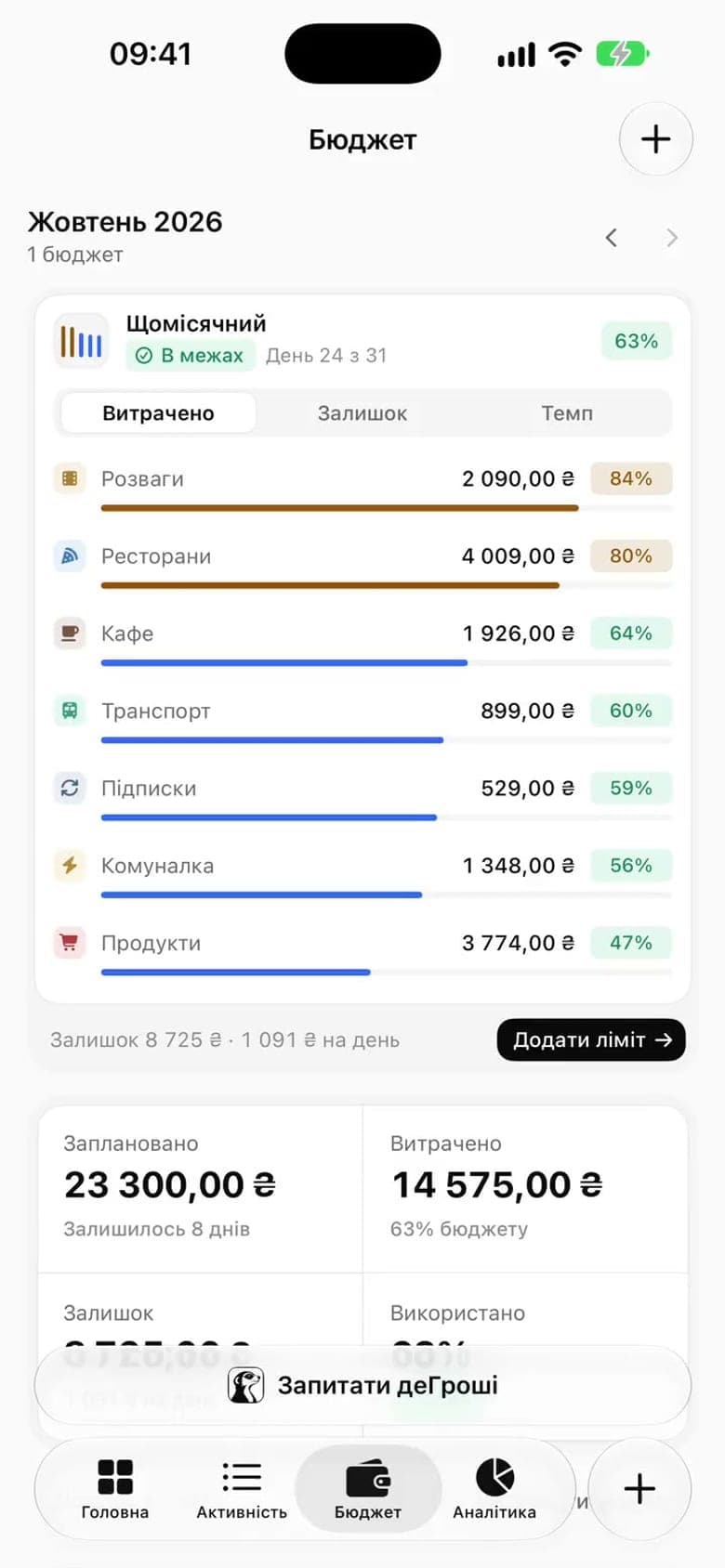
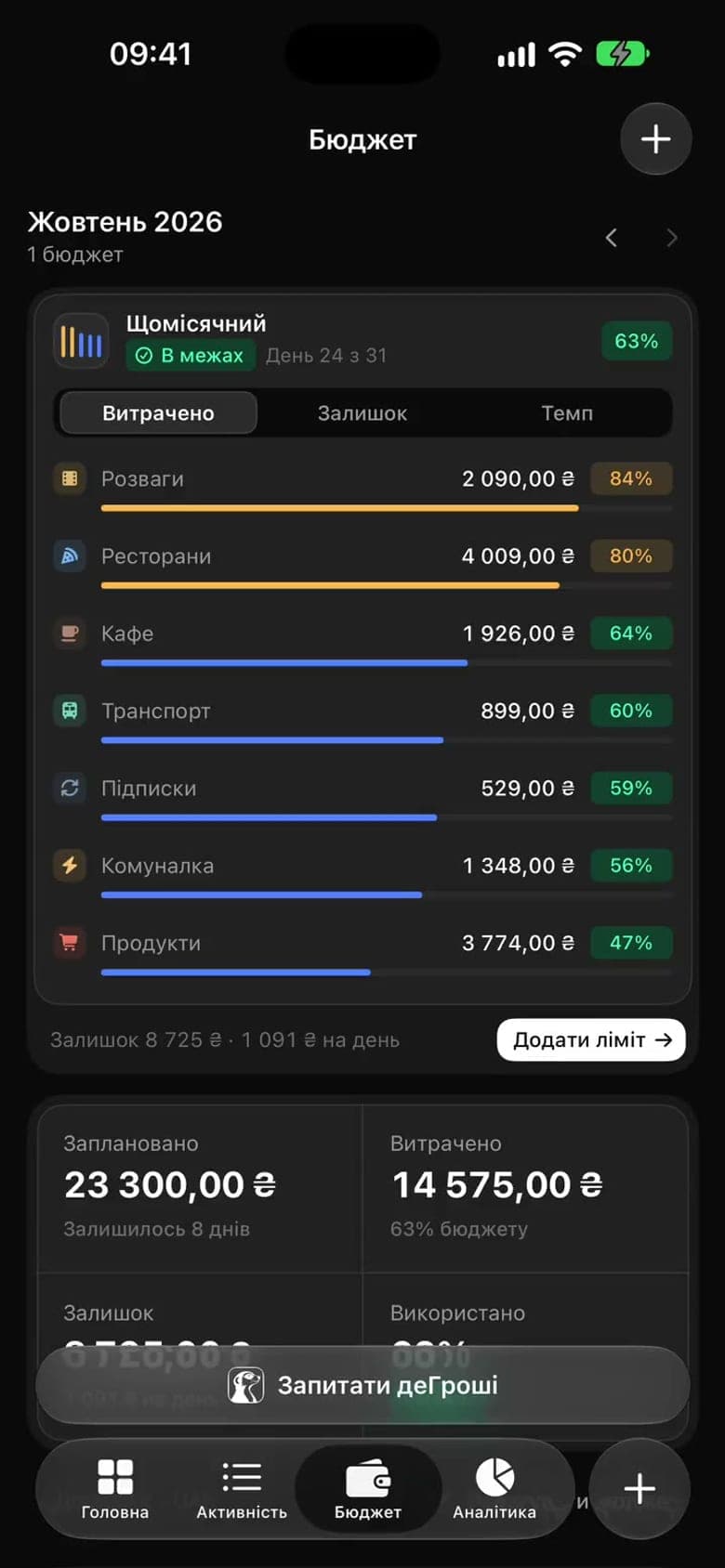
- A budget
- A limit per category for a set period. What’s left can roll over, and you set the threshold after which an alert arrives.
- Pace
- Spent ÷ limit against the share of the month gone. For example, “Home” is already at 99 % with 61 % of the month gone, so an alert came in, while “Kids” is at 55 % and on track.
- Alerts
- They land in the app’s inbox when a budget melts faster than the month goes by. That leaves time to decide something while there’s still money.
- For everyone
- Budgets belong to the space, so every member sees the same limits and the same pace, whoever’s card the spending came from.
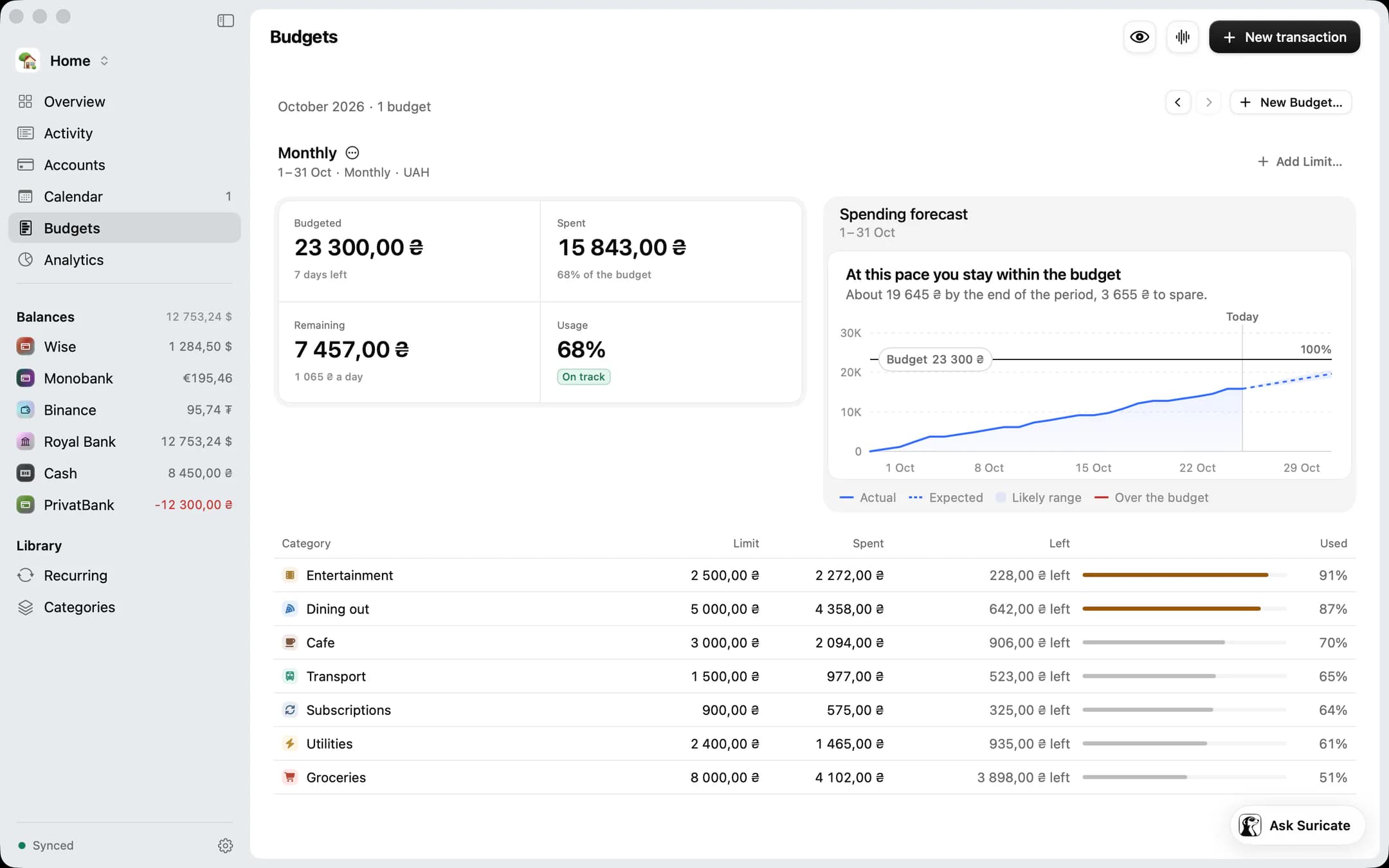
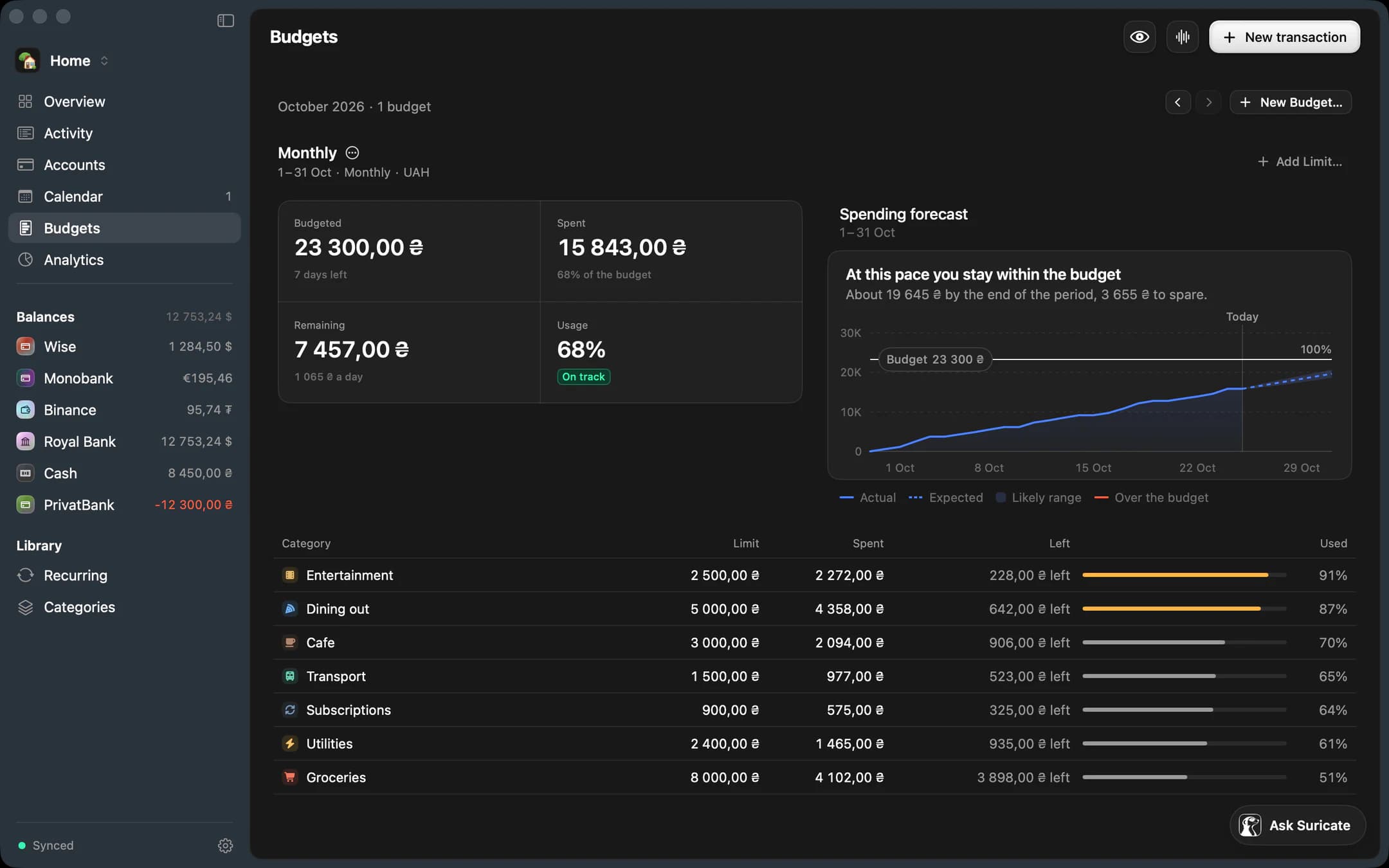
On the Mac. The same limits with a forecast to the end of the month: what’s left per day and which categories are nearly used up.
Suricate
Snap the receipt, and the items are listed
Photograph a supermarket receipt and Suricate breaks it into line items with categories. You confirm the list with one tap. From then on, “how much went on coffee this month” is a question for analytics, not for memory.
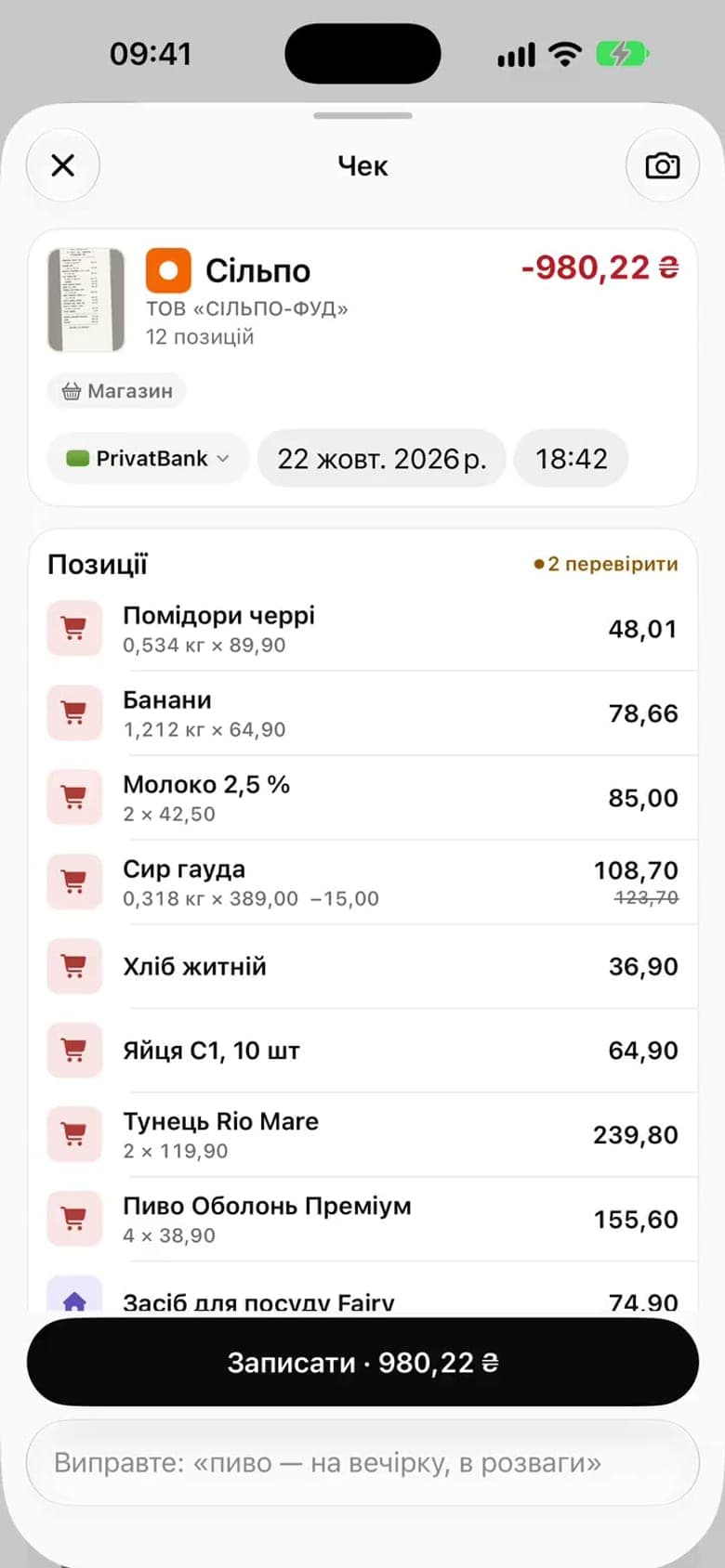
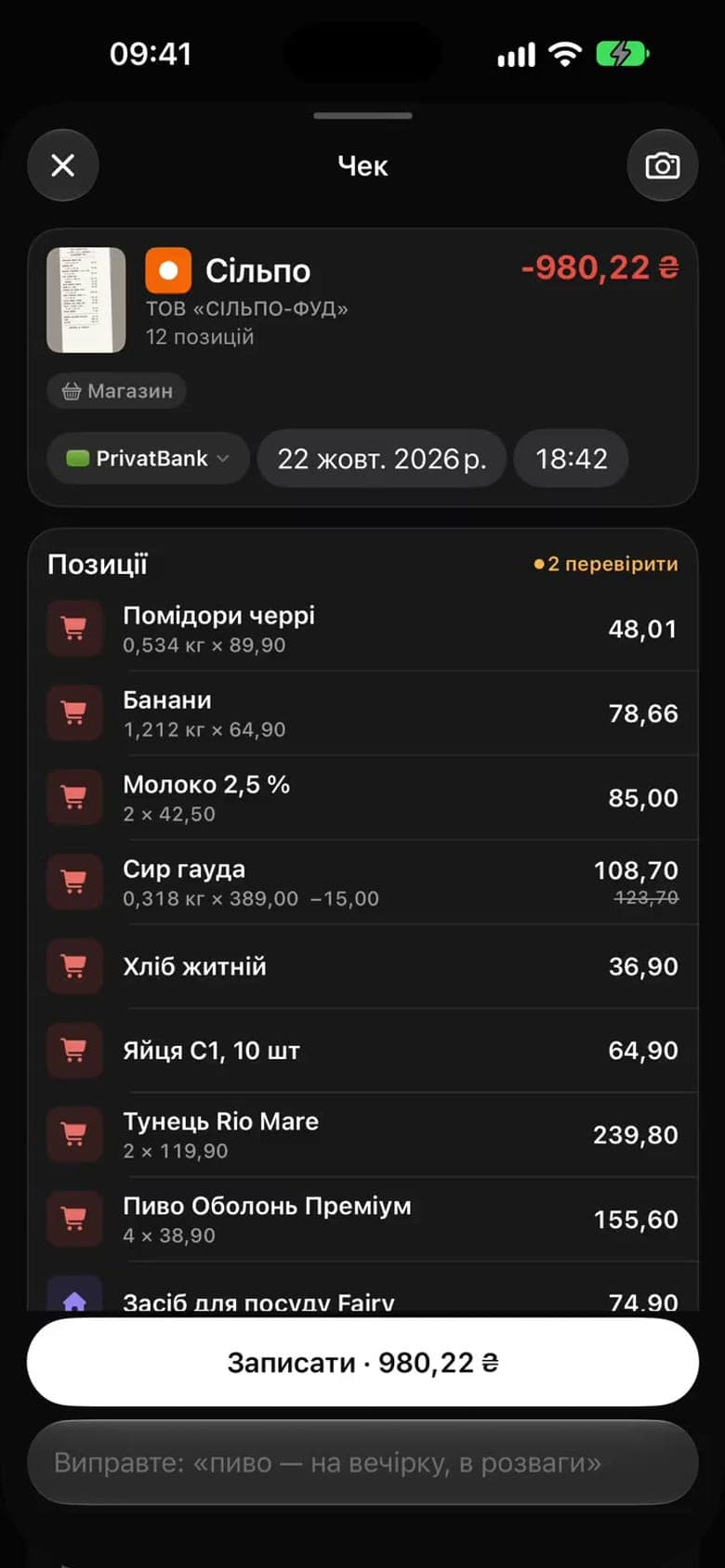
- 14 items, 14 rows
- Every item has its own name, amount and category and lands in the “Groceries” budget as a separate transaction, not as one “Silpo” total.
- The totals reconcile
- The items’ sum is checked against the receipt’s total, so the budget gets exactly what you paid, to the hryvnia.
- Doubtful lines are flagged
- Suricate marks the rows it isn’t sure about. Those are the only ones you need to check.
- Analytics by product
- You see how much went on coffee, nappies or fuel this month. Receipts from restaurants, pharmacies and delivery are broken into items too.
Roles
Who sees what, and who can change it
The space’s owner sets the roles. Every adult connects their own card, and other people’s cards are visible only to those they were opened to.
| Who | Role | What they see and can do |
|---|---|---|
| Mumowner of the space | Owner | Sees everything. Invites people, sets roles, opens accounts to members and creates budgets. |
| Dadhis own Monobank | Member | Logs and edits transactions. He connected his own card, so he always sees it, and of Mum’s cards he sees the ones opened to him. |
| Sofiaage 15 | Viewer | Sees the budgets and the transactions of the opened accounts. Can’t change anything. |
| Markage 8 | No account | His spending goes into the “Kids” budget from the parents’ cards. For pocket money you can set up a separate “Cash · Mark” account, if you want to count it. |
Roles in a space: owner, admin, member and viewer. Invitations go by email, and the link is valid for 14 days.
Sunday
The family’s week in one recap
Every Sunday the app gathers the week into one recap, always in the same order: first what went well, then the budgets and what changed. It never compares family members with each other.
The recap is always in the app, and it comes by email if you turn that on in settings.
The order of the Sunday recap
- What went well, first
- Everyone’s Varta, no comparisons
- Budgets: one honest cue each
- What changed this week
- Runway
- What’s ahead
- One thing to do next week
How to start
The board is ready in ten minutes
≈ 10 minutesA family space and the invitations
Create the space and invite every adult with an email link, and the teenager as a viewer. The link is valid for 14 days.
Everyone connects their Monobank
You confirm the request in the bank’s app; from then on, statements arrive on their own. We can’t transfer money. Three months of history show up right away.
Three budgets: groceries, kids, home
Set a limit, a period and an alert threshold for each. Spending from every card lands in the budgets by category, and the categories learn from your corrections.
The first receipt
Photograph a supermarket receipt and confirm the items. From then on analytics shows not just 1 284 ₴ at Silpo, but what was actually bought.
Up to 5 people on the Family plan · invite your family by link
A week later
What will be on the board
- Three budgets with pace and alerts, the same for the whole family.
- Receipt items in analytics by product: how much on coffee, nappies or fuel.
- Rent, kindergarten and subscriptions found by the app and proposed as recurring payments.
- The Sunday recap of the week in the app, and by email if you turn it on.
- The teenager sees the budgets but changes nothing: that’s the viewer role at work.
FAQ
Frequently asked questions
Does everyone in the family need an account?
Yes, if they look or log: you invite the adults and teenagers into the space by link. Small kids don’t need one, because their spending simply goes into the “Kids” budget.
Whose cards are visible?
Every adult connects their own Monobank and always sees it. Of the other accounts, a member sees only those the space’s owner opened to them, and new ones stay hidden until they’re opened. The budgets are shared by everyone regardless.
Are receipts required?
No. A receipt is handy for a big shop, when you want to see the items. Everyday spending arrives from Monobank on its own or is logged by voice.
What about pocket money in cash?
Create a “Cash” account for everyone who wants to count it, or just log that spending in the “Kids” budget. Say “pocket money 200”, and Suricate proposes the entry for you to confirm with one tap.
How do alerts arrive?
In the app’s inbox: when a budget melts faster than the month goes by, when a recurring payment is found and when the weekly recap is ready. The recap can also come by email, if you turn that on in settings.
What if someone in the family is on Android?
The web app works on any phone, with the same budgets, transactions and Suricate. There are separate apps for the iPhone and the Mac.

See where your money is
Create an account, connect Monobank, and in a few minutes you’ll see the whole picture.
- An account in a minute
- Monobank through the bank’s app
- All your money together, in hryvnia
Free plan · no card needed